Your inner circle.
Ask your people, not the internet.
Someone you know already knows the right person. The Hub keeps you close to the people who matter and finds the introductions only you can make, through the people you actually know. Other people on Hub never see your address book, and nobody you know is named to anyone until you choose to.
A beta, free, by invitation. The iPhone app (iOS 26.1 or later) comes through TestFlight with your invitation; the Mac app (macOS, Apple silicon or Intel) is optional and keeps itself current; any browser works too. See how it works.
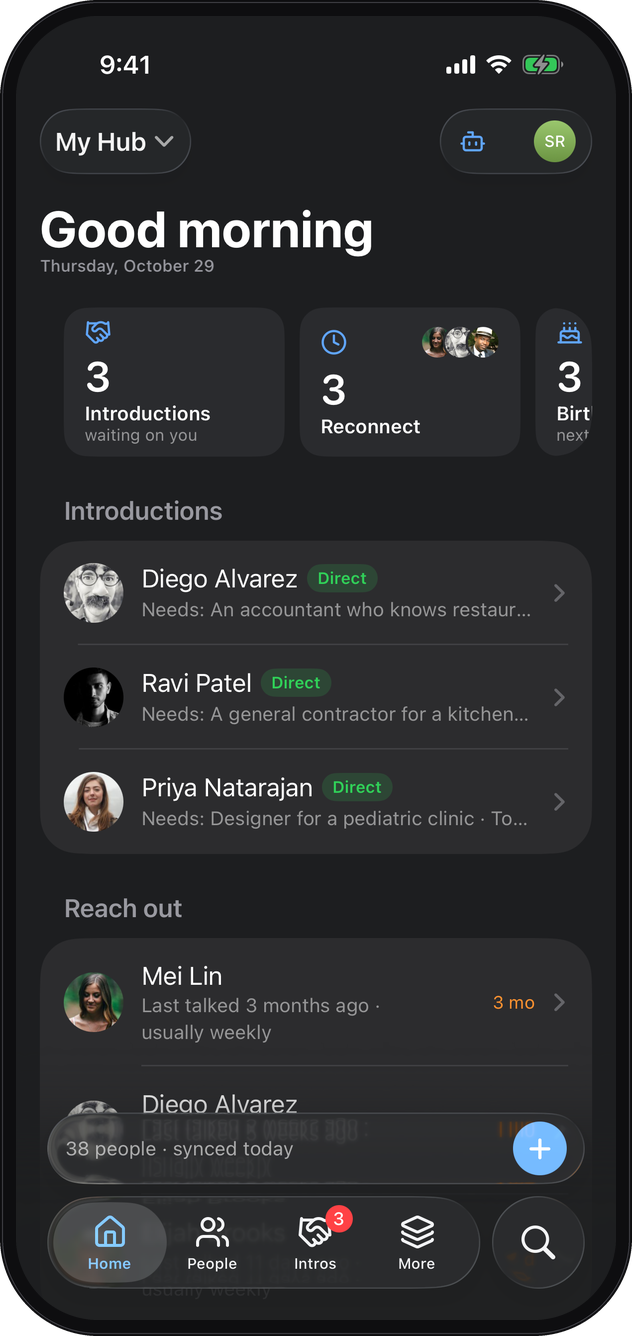
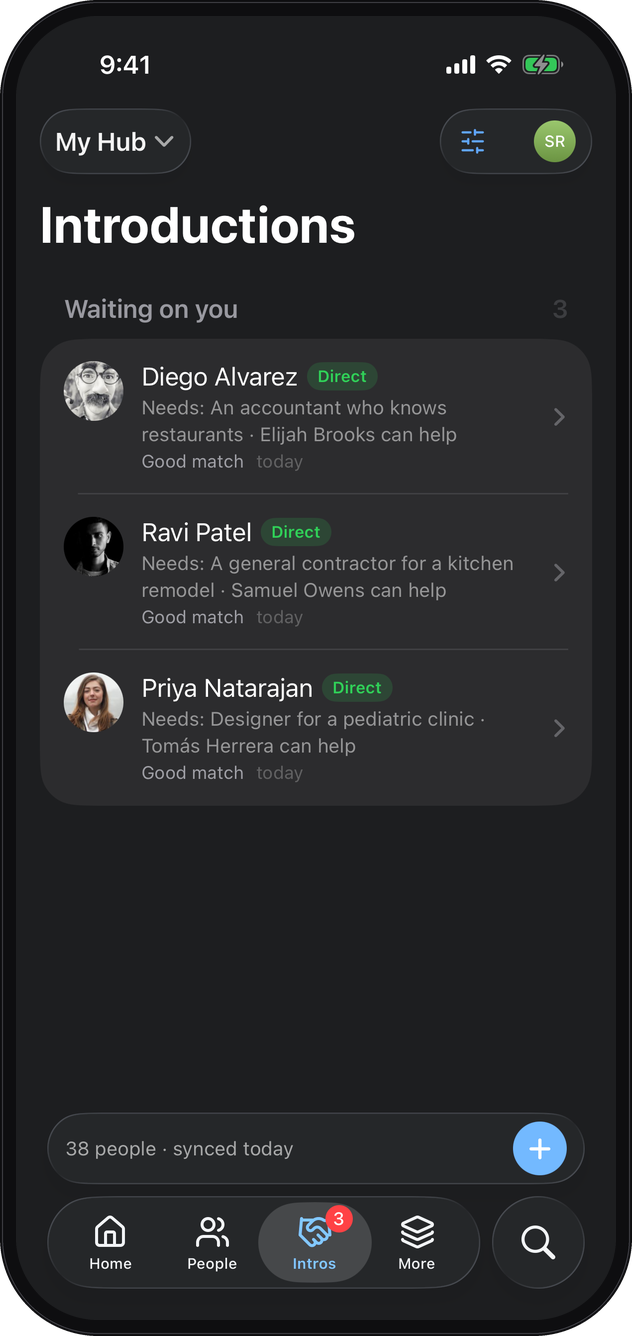
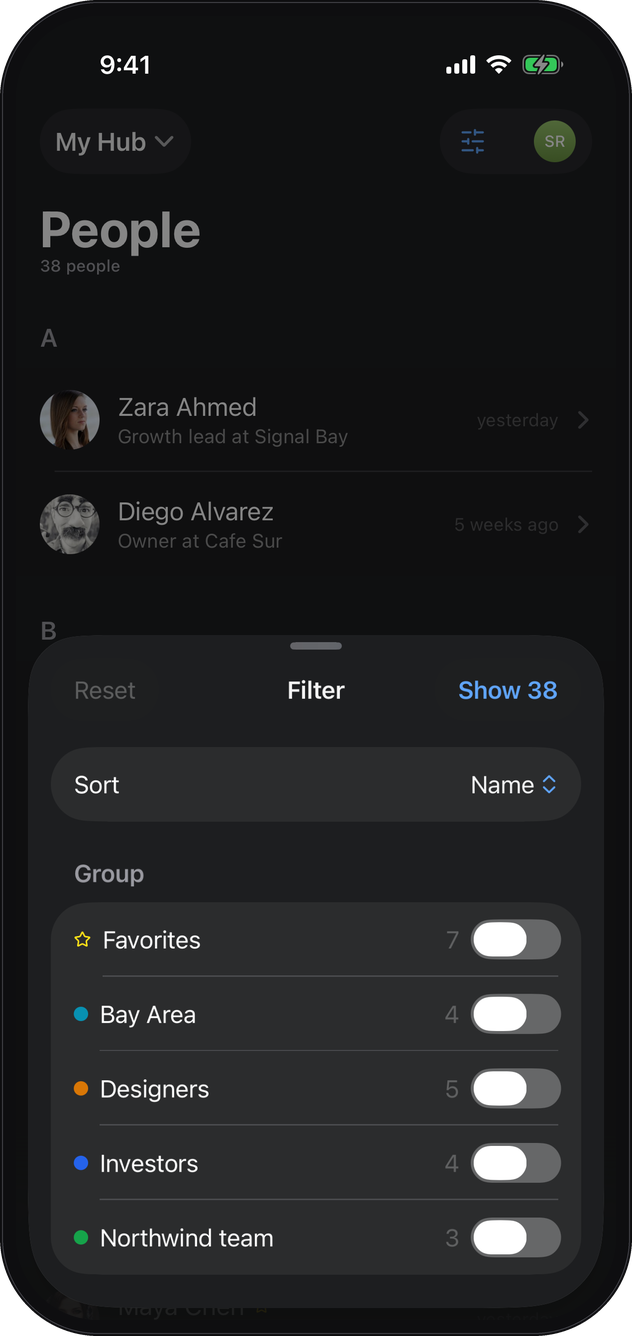
The iPhone app, on a demo workspace. Captured in dark mode; it follows your phone's setting.
Introductions
Looking for a plumber? Ask the people you trust.
Write one line for a person: what they are looking for, or what they can help with. Diego is opening a second cafe and needs an accountant who knows restaurants. Elijah does the books for two. You know both. The Hub notices, lays the pair out for you with the need and the offer side by side, and you make the introduction. Or not. Nothing is shared until you say so.
On day one it works inside your own contacts. Then it reaches one step further. Ravi needs a contractor and nobody in your address book fits. Priya, a friend of yours on The Hub, knows one. You see that someone in Priya's circle fits. Priya sees that someone in yours is looking. Priya decides. Nobody else sees anything.
No group text. No post asking for recommendations. One quiet introduction between people who already trust each other. Every friend who joins widens what you can find, and you widen it for them.
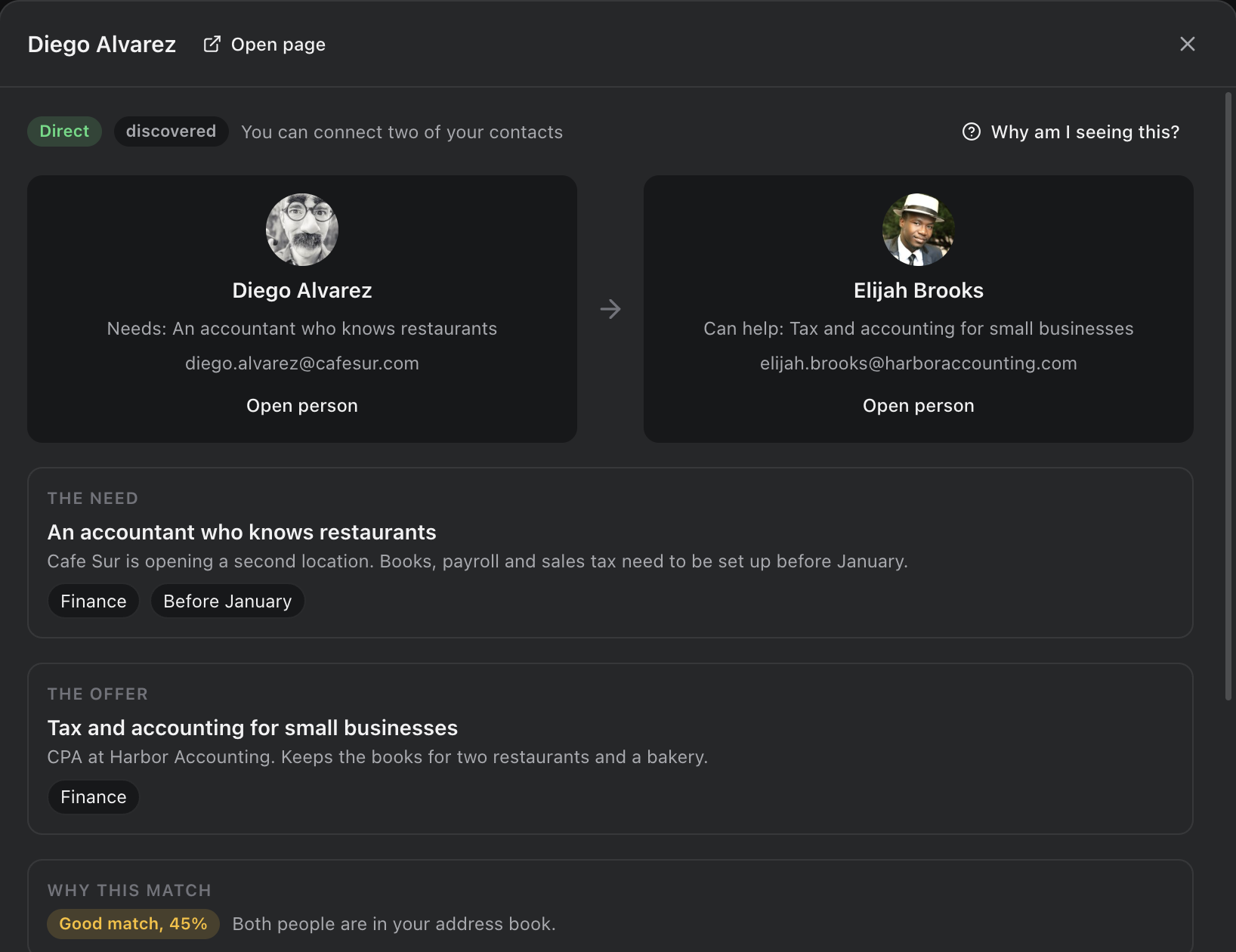
What each person gets
The person who needs something
A name with a person they trust behind it. Not a listing, not a review. Diego gets Elijah because you know them both and said so.
The person who can help
Work from a warm source. Elijah hears from Diego through you, not from a stranger who found him online.
You, in the middle
You are the one who knew someone. The Hub keeps the record, so you can see what your introductions led to.
Your contacts are never visible
Nobody on Hub can see who is in your address book: not your connections, not the person on the other side of an introduction. It is stored on our server so your devices stay in sync; we do not look at it, and we never sell it.
You choose, every time
An introduction is laid out for you first. The other side sees only "your contact" until you decide to share who it is.
Nothing goes out without you
Between people on Hub, an introduction arrives in Hub with your name and the one line you wrote. Anyone else gets an email invitation from you, and the introduction waits for them when they join. Hub never writes to anyone you did not pick.
Your people
You never update it. It already knows.
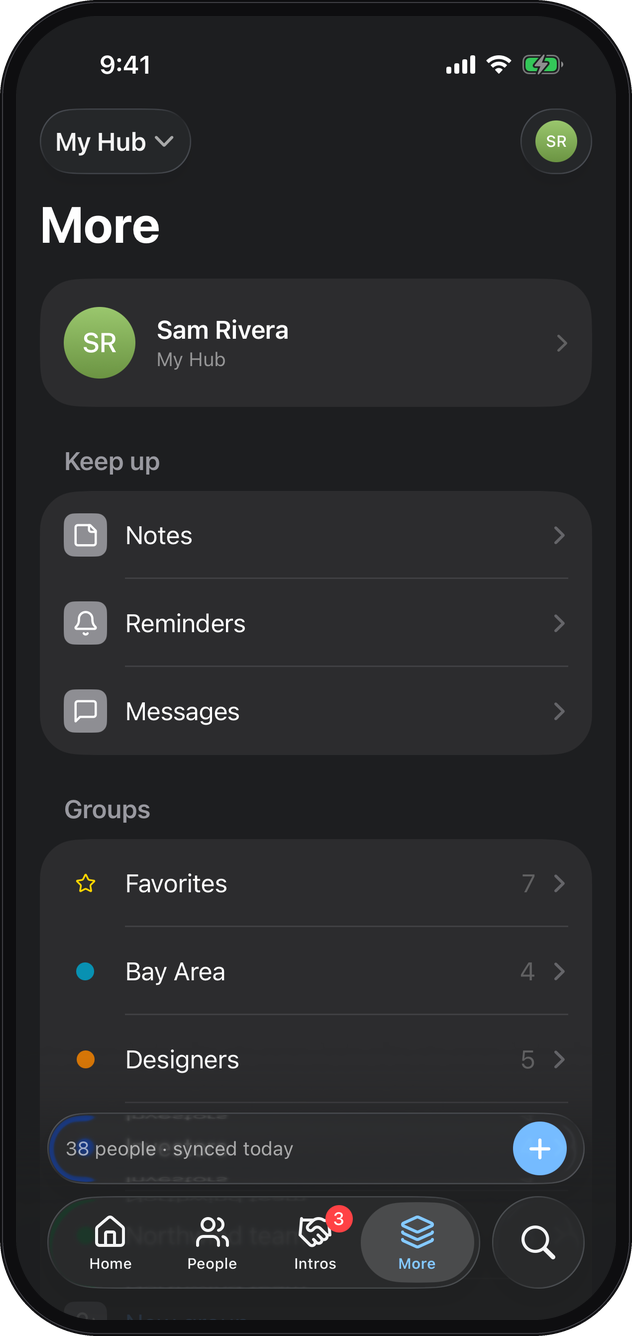
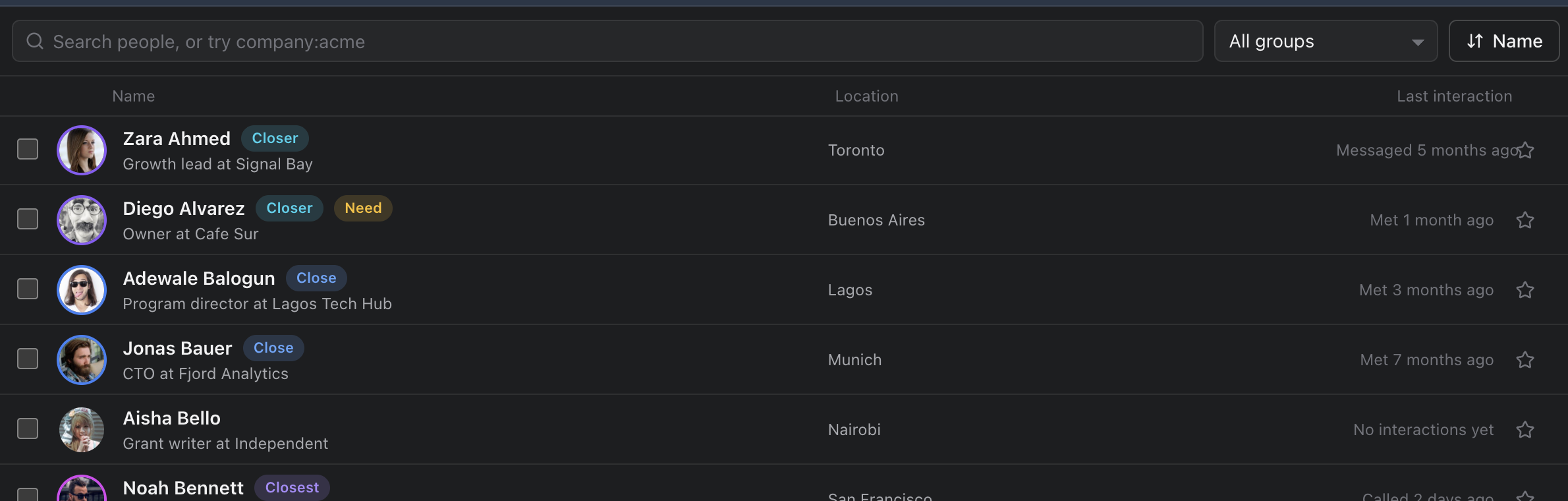
Every contacts app dies the day you stop typing into it. The Hub does not need you to. It reads your Contacts and Calendar on your iPhone, and on a Mac your Messages, calls and Mail too, and builds the picture itself: who you know, how you know them, when you last spoke, which of your people know each other. Open it on the first day and your history is already there. Every device you sign in on shows the same people, groups and filters.
It keeps who and when, never what was said. The text of your Messages and the bodies of your emails never leave the device that read them; email subject lines and meeting titles do, so every device shows them.
Every day
Five minutes a morning. Nobody slips.
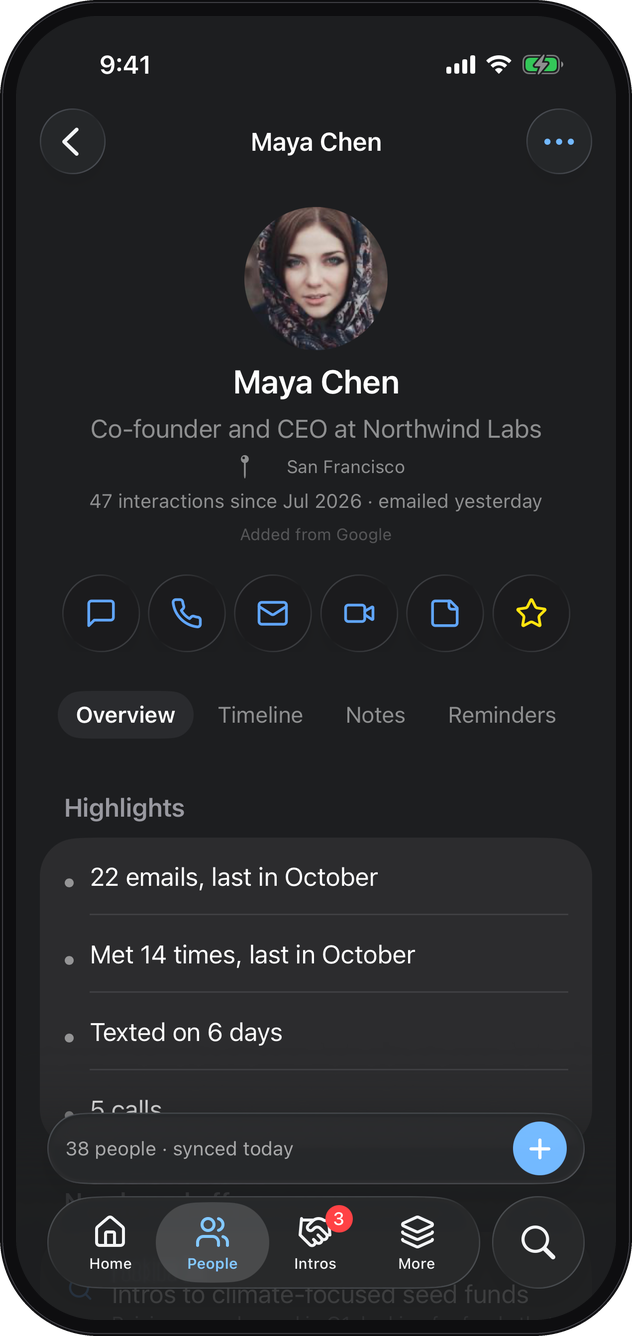
Today's focus is a handful of things worth doing. Mei, who you usually talk to every week and have not in three months. Tomás's birthday tomorrow. Three introductions waiting on your yes. Handle them and the list empties. It does not refill from your whole address book.
How often to check in follows how often you actually talk: weekly for your closest people, yearly for the rest. Change it for anyone, or tell it not today. The list is under Home on your phone, and under Today's focus on the Mac.
On your iPhone
Four tabs, search, and one plus.
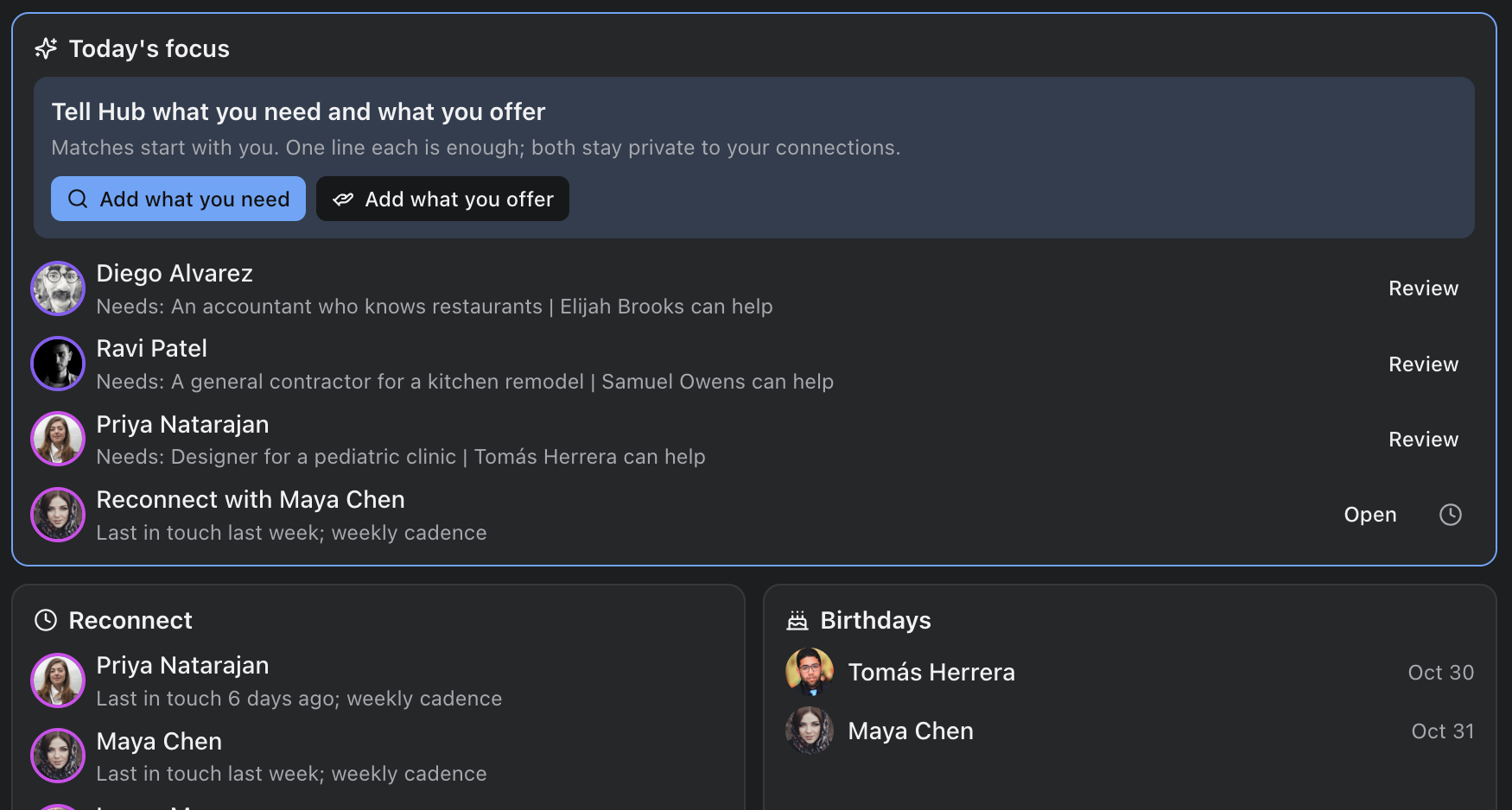
Home is the day's list. People is everyone, with one filter sheet for sorting and groups. Intros is what is waiting on you. More holds the rest: notes, reminders, messages, your groups, the network, the map, duplicates and the archive. Search sits beside the tabs, one tap from anywhere.
Everything new starts from the plus at the top right: a person, a note, a need, an offer, a reminder. On a person's page the same plus adds to that person. Nothing is hidden behind a long press.
The phone reads its own Contacts and Calendar when you let it, logs the calls, texts and emails you start from it, and keeps everything in one workspace. The phone is enough on its own; a Mac adds the calls and texts you receive and the years before.
The iPhone app is in TestFlight while the beta runs. Your invitation carries the link; when it reaches the App Store, this becomes a download.
Privacy, plainly
Your people stay with you. The server holds what sync and matching need, and nothing else.
The text of your Messages and the bodies of your emails never leave your Mac. The server holds your account, the names and details of your people, your notes, what you wrote down that people need and can help with, who you were in touch with and when, email subject lines and meeting titles, and the messages you send to other people on Hub. That is what keeps your devices in sync and finds introductions.
Nothing is sold. Nothing about anyone is shown to anyone without a choice you make in the app. Delete your account and the server removes your data; messages you sent stay with the people you sent them to, shown as from a deleted user, and backups expire within fourteen days.
If The Hub went away tomorrow, you would lose a sync server. You would not lose your people.
Who makes it
One person. I am Bobby Beason, and on a Mac Hub reads who you text and when, so you should know whose software it is. The server is a single machine I own and run, not a cloud account, with nightly backups kept for fourteen days. Write to hello@thyic.com and the reply comes from me.
I built it because I kept losing touch with people I liked, and because every time I needed a plumber I ended up asking strangers.
How it starts
Three steps, then it works on its own.
Install on your iPhone, and your Mac if you have one
The iPhone app arrives through TestFlight with your invitation; the Mac app is a download that keeps itself current. Open The Hub and grant it the access you choose. It reads, it never writes. Sign in with your email and it fills itself.
Connect what you use
Contacts and Calendar on the phone; Messages, Mail and a LinkedIn export on the Mac. Your history becomes a timeline for each person, in a few minutes.
Say what people need and can help with
One line for a person is enough. The first introductions come from your own address book, the same day.
Pricing
Free while in private beta.
The Hub is a membership for business owners, by invitation. Everyone in the beta uses all of it, free. When the beta ends, these are the plans. Your people, your notes and the apps are never limited; what a plan sets is how many introductions you make.
Guest
For the people members know: their clients, friends and family.
- Your people, Home, reminders and notes on iPhone, Mac and the web
- Every match you are part of
- 3 introductions a month
- Personal needs and offers
Business
For a business owner, nominated by a member.
- Everything a guest has
- Unlimited introductions
- A business profile: what you offer, your team, who you are hiring
- What each introduction led to
Team
For a business with staff. One price whether one person uses it or five.
- Everything in Business
- Up to five seats, same price
- What introductions led to, for each seat
Founding members: $1,500 a year, kept for as long as you stay. Open to business owners who join during the beta. New members are nominated by a member, and I approve each one.
The beta
Ask for an invite.
Invites go out in small batches, to people who will actually use it and tell me what is wrong. You will hear back from me, not a bot, within a week, with an invite or an honest date.
Prefer email? invite@thyic.com
Questions
Do my friends need to be on The Hub for this to work?
Not for the search inside your own contacts; that works alone, from the first day. Reaching a friend's contacts needs that friend to be on The Hub and connected with you. You invite them from the app.
What does the other person see when I introduce them?
Your name and the one line you wrote. On Hub it arrives in the app; someone not on Hub gets an email invitation from you, and the introduction waits for them when they join. They never see your address book.
Can other people see my contacts?
No. Your address book is yours alone. When an introduction reaches a friend's circle, the other side sees only "your contact", and nothing more until you choose to share. People you mark private are never part of an introduction at all.
What do you do with the needs I write down about other people?
Each one says who can see it: Private, My connections (the default), or Hub network. Even when it is visible, the person it is about is shown to others only as "your contact" until you share who it is. Your own needs and offers set to Hub network are listed under your name in a directory everyone on Hub can search. Write down what people have told you they are looking for, the way you would in a notebook.
Does Hub send messages or emails on my behalf?
Only the ones you ask for. When you invite someone, Hub emails them your invitation, from your name, and replies come to you. Messages you write to people on Hub are delivered in Hub. It never contacts anyone you did not pick.
Can it read my iPhone's calls and texts?
Only through a Mac. iPhones do not let apps read call history or Messages, so if you have a Mac signed in to the same Apple account, The Hub reads the copies macOS keeps. The iPhone app reads the phone's own Contacts and Calendar, logs what you start from it, and does everything else on its own.
I do not have a Mac. Can I use it?
Yes. The iPhone app is the whole product: your people from Contacts and Calendar, notes, reminders, groups, needs and offers, and the introductions. What you miss without a Mac is the history of calls and texts you received; Gmail connects from the phone. On Windows or Android, use it in any browser at app.thyic.com. Ask for an invite and say what you use.
Who runs this, and where is the server?
One person, Bobby Beason, on a machine of his own in the United States, reached through Cloudflare and backed up nightly. Delete your account and the server removes your data (backups expire within fourteen days); what you exported stays yours.